
Searching Cases by Name
Warren County sends searchers to the Local Government Corporation portal. That is the Warren Online Court Records System. Before anything else, pick at least one Court Type and one Case Type. The portal treats that pairing as the court office. It insists on the combination even when other fields are filled. Type full names where you can. Party Name looks only at the first ten words.
- Choose Circuit Court, General Sessions, or both under Court Type.
- Choose Criminal, Civil, or both under Case Type.
- Enter a full first and last name in Party Name, or use Case Year or Case Number instead.
- Complete the Turnstile checkbox that enables the Find Now control.
- Review the results, sort by a column header, and use the visible Filter box when helpful.
| Field Label | Type | Required | Notes |
|---|---|---|---|
| Court Type | Checkbox | Yes | Circuit Court and General Sessions are preselected. |
| Case Type | Checkbox | Yes | Criminal and Civil are preselected. |
| Party Name | Text | No | Use a full name; only the first ten words are considered. |
| Case Year | Text | No | Up to four characters; a year alone may be enough. |
| Case Number | Text | No | Up to 50 characters; test the numeric tail after the last hyphen. |
Warren County Portal Match Rules
Small matching habits inside the search help can decide whether a docket entry looks like a hit or a miss. Everything gets lowercased. Diacritics and other non-spacing marks are stripped out. Wrap words in double quotation marks for a phrase. Hard separators split phrases; soft separators are simply ignored. Match-all starts out checked, and typo tolerance kicks in for longer terms. A request can be so tight that the system starts dropping terms from the end. It then widens the results on its own. The official search form shows the fields and options the portal presents.
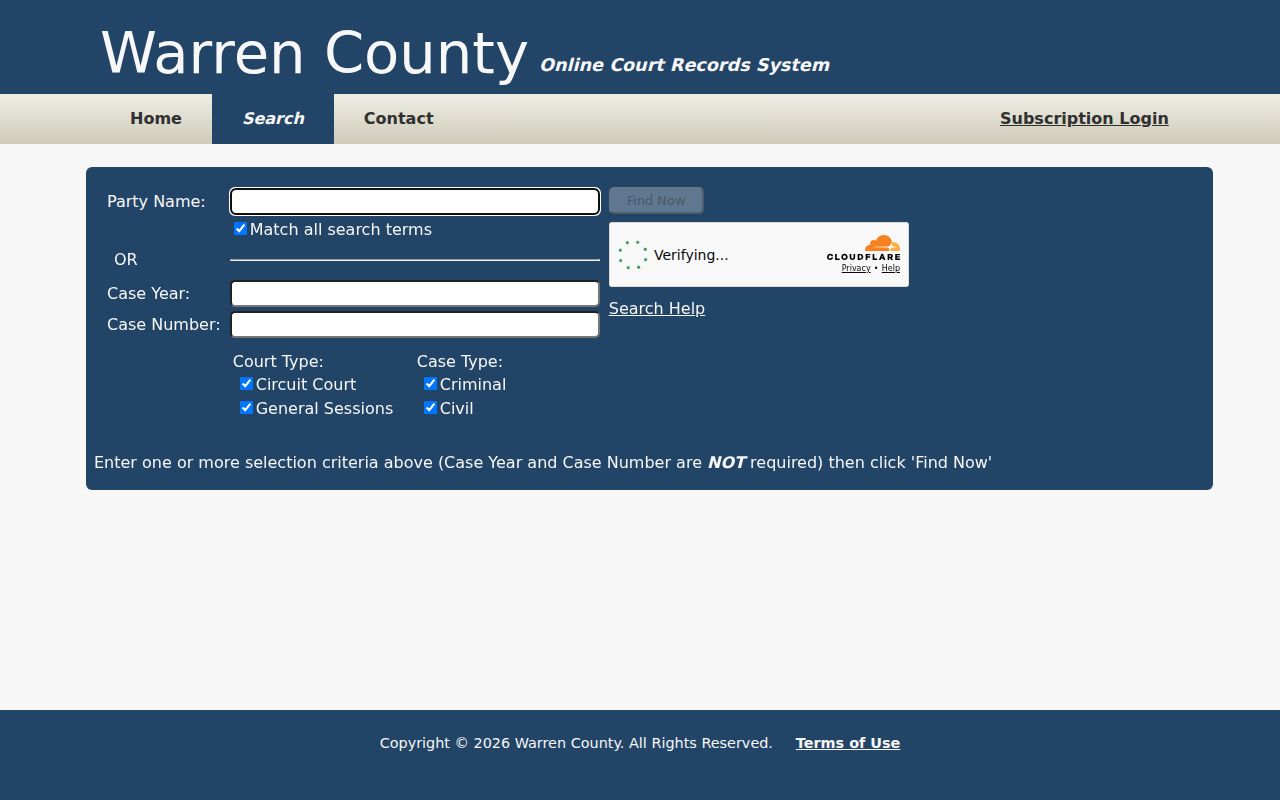
One point deserves repeating. Court type and case type define the office being searched before any name or number is processed, so those two picks drive every match.
Searching by Case Number
For a case number search, use only the digits after the final hyphen. With 89GS1-2026-CR-28582, type 28582 in the Case Number box. The prefix 89GS1 marks General Sessions in the sampled criminal, traffic, and civil numbers, while 89CC1 shows up in the sampled Circuit Civil number. The middle segment gives the case year. Codes like CR, TR, and CV separate the criminal, traffic, and civil examples.
Quick answer: When a formatted Warren County number fails, enter only the digits that follow its last hyphen.
Do not assume one public pattern covers every division. Circuit Criminal sits in a separate folder, Chancery answers to a different clerk, and older records may not match the sampled numbers at all. When you call staff, give the full printed case number even though the portal field wants only its tail.
Warren County Result Limits
The portal caps results at 2,500 rows. It displays 25 per page in its table view. Click any column header to sort ascending or descending. The Filter box does live, literal filtering across the columns you can see. It is not a fresh court search. Filtering also cannot rescue a case the original criteria missed. Leaving out the right court office or case type means the row never came back at all. The Warren portal home is where the system's entry point and notices live.
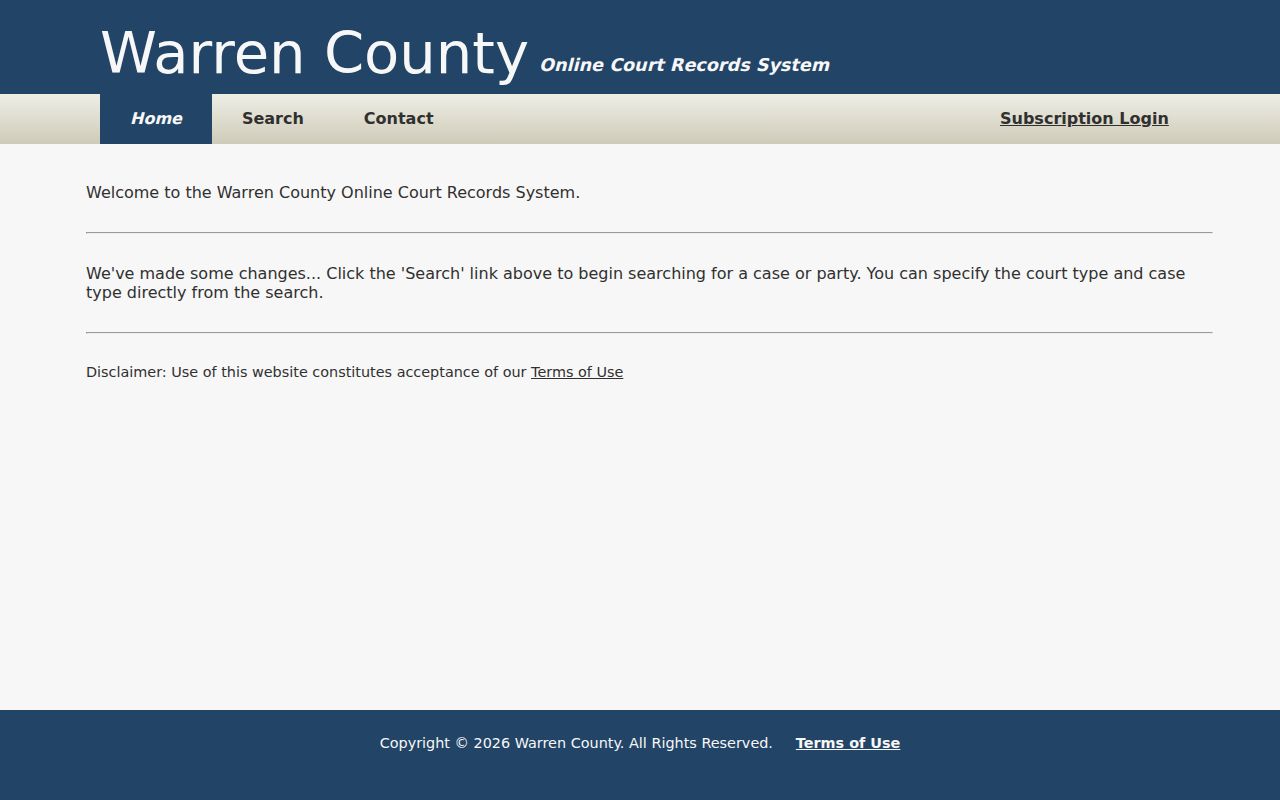
Start Warren trial cases at the locally linked LGC system. Its verification gate and disclaimer still apply to every search.
Warren County Case Search Filtering
The Filter box only narrows rows already on screen. It never sends revised criteria back to the court database. Need a different court office, party term, year, or number? Run the search again.
What a Case Search Returns
The portal shows the search form and its result controls, but it does not promise a full case file. Do not count on seeing a complete register, attached documents, financial data, or a final outcome. Warren's daily PDFs list a narrower set of setting fields, and those are often enough to identify the case you need.
| Case Number | Local samples include 89GS1-2026-TR-31341 and 89CC1-2022-CV-1583. |
|---|---|
| Style / Parties | The case caption and party roles appear in public setting sheets. |
| Case Type | Court and case selections separate Circuit or General Sessions from Criminal or Civil searches. |
| Filed Date | Not confirmed in the public setting PDFs or an accessible portal detail. |
| Status | Not confirmed in the public samples; obtain current status from the clerk record. |
Sheets may also list the judge, the setting date and time, attorneys, subtype, hearing type, hearing notes, charges, classifications, or bond data. No single field proves how the case ended.
Turnstile and Warren County Access
Before Find Now works, the portal asks you to check a Turnstile box. That step is just an access gate, not a sign that public records are missing. The check may not go through. If so, switch to another documented channel rather than reading the failed session as a no-result docket search. The portal also offers a Circuit Court contact selector for reaching the right office directly.
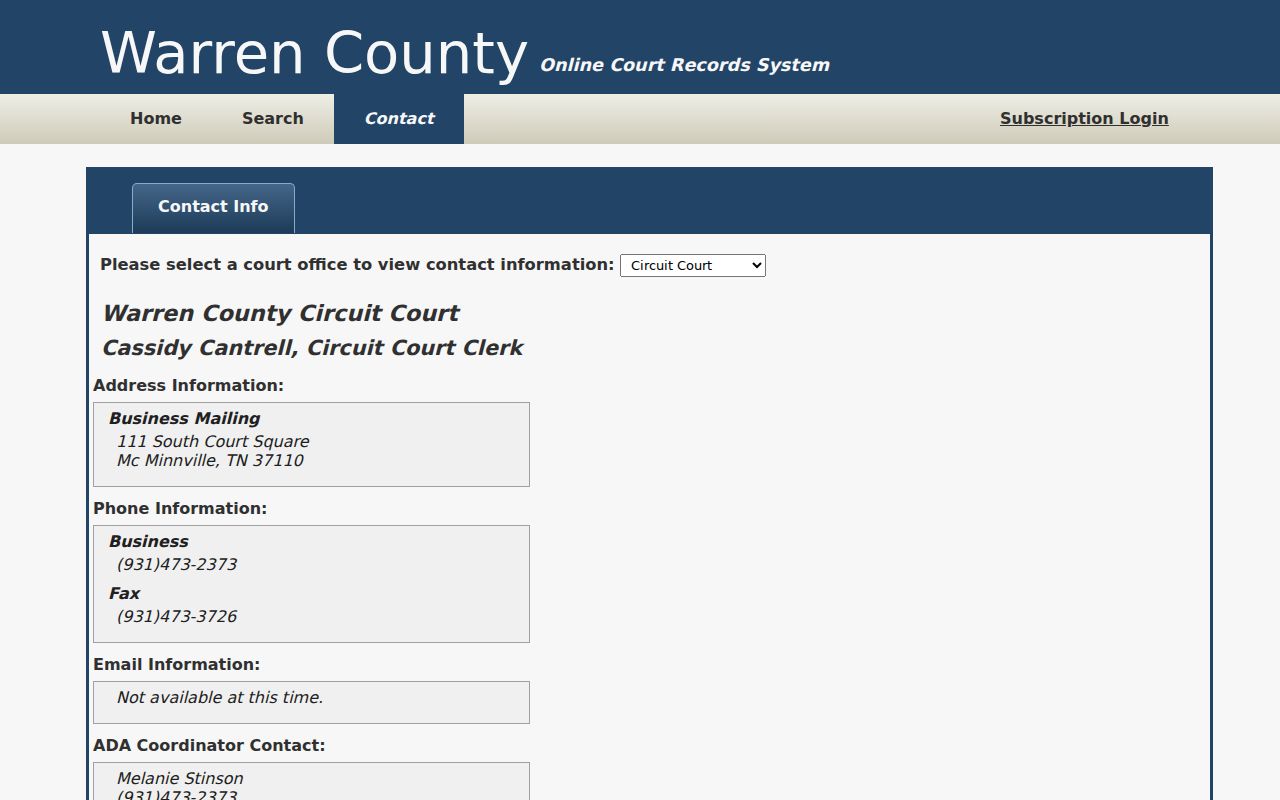
That selector points back to Cantrell's office, though the portal display says email is unavailable there. The county page separately publishes clcantrell@warrencountytn.gov.
Warren County Is Not One Index
Warren County records do not live in one seamless public index. Circuit, General Sessions, Chancery, Juvenile, and municipal matters each sit with a different office. Cantrell's office maintains Circuit, General Sessions, and Juvenile records, subject to each division's access rules. Mara's Clerk and Master office handles Chancery. City clerks keep municipal matters. A search confined to the county portal can miss a valid record. The record may simply be held on another path. Choose the office by the case's subject and issuing court. Do not choose by a party name alone. A Circuit or General Sessions trial matter starts at the local portal and with Cantrell. Probate or equity may land with Mara. A city ordinance citation belongs with the municipal clerk. Appeals show up in Tennessee Public Case History. Federal matters sit in the Eastern District of Tennessee and PACER. Getting routed to the right clerk often beats repeating a broad name query.
Statewide vs County Case Search
Tennessee offers no single public statewide index for trial courts. The AOC Public Case History tool covers appellate courts. It reaches the Supreme Court, the Court of Appeals, and the Court of Criminal Appeals. Warren's LGC portal handles local trial matters. The county's PDF folders add date-based settings for anyone tracking a court calendar.
| Statewide Portal | Warren County Portal |
|---|---|
| Tennessee appellate cases only | Local Circuit and General Sessions trial searches |
| Appeal number, case style, party, or business fields | Party, year, number, court type, and case type fields |
| Best for a known appeal | Best for a known Warren trial matter |
Chancery often sits outside the main indexes. People checking those indexes tend to miss it. For equity, probate, and related Chancery matters, call Myra Mara, Clerk and Master, at 931-473-2364. Federal cases take a different route entirely. Those that touch Warren County run through the Eastern District of Tennessee and PACER.
Warren County Case Search by PDF
A dated docket PDF can save time when a portal query fails and you know the day a matter was set. Choose the right folder first: Circuit Civil, Circuit Criminal, General Sessions Civil, General Sessions Criminal, or Traffic. Then scan the list for that date. Remember, the PDF is only a setting list. Go back to the clerk for the full record or the outcome.
Warren County Portal Is Not Official
The LGC terms are blunt about limits. Portal data can be incomplete, stale, and short of official clerk-record status. For a Warren County court docket item like an order, a reset, or a final outcome, that warning matters. Treat what you find as a locator. Then confirm the entry with the office that holds the original record.
The portal Terms of Use lays out that disclaimer and its limits on the official page.
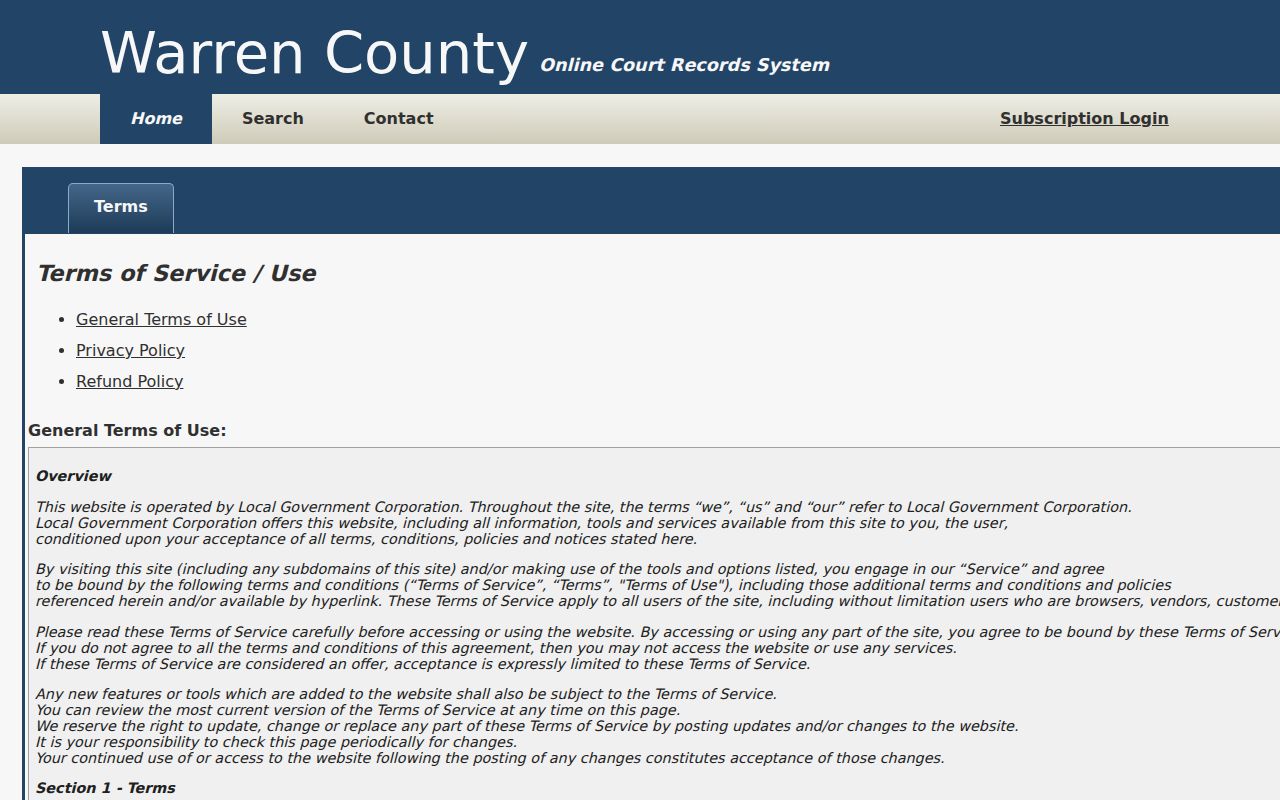
That is the point of the disclaimer. A Warren County case search result is a lead, so take it to the clerk before you rely on the data for anything that counts.
When Warren County Shows No Result
Hit a wall in a docket search? Work the angles. Run the query again under the other court type and case type. Try the full name and case year too. A known hearing date opens another door: check the matching daily docket folder. Still nothing? Give the clerk the whole case number, court, names, and date. Ask whether the record sits elsewhere, has not been posted yet, or is restricted. One empty portal query proves nothing about whether a case exists or how it ended.
Access and Restricted Cases
A no-result search is not proof that a case or event is absent. The miss can come from the wrong court, the wrong case type, or a posting lag. Restricted access can hide it too. So can a file held by Chancery, Juvenile, municipal, appellate, or federal court. Search the other court type, check the dated docket folder, and call the responsible clerk.
Juvenile records are the clearest local restriction. Sealed, expunged, or court-restricted files and confidential identifiers can also stay out of public view. Take a lawful access question straight to the court. Do not try to work around a restriction. For Circuit, General Sessions, or Juvenile routing, contact Cassidy L. Cantrell at 111 South Court Square, McMinnville, TN 37110, phone 931-473-2373, fax 931-473-3726, or the published email. At the counter, inspection and a specific Tennessee Public Records Act request are fallback routes; ask whether inspection is offered and whether a copy request must be in writing. The clerk posts no public terminal.