
Traffic Court Records in Warren County
Warren County traffic cases have at least two possible routes. General Sessions Court hears county traffic matters, and the county publishes a dedicated Traffic Court Docket folder. Municipal courts hear local ordinance cases and commonly handle city traffic citations. The issuing court on the ticket is therefore a key fact. A McMinnville municipal citation should not be assumed to be a Warren County General Sessions case.
Cassidy L. Cantrell, Circuit Court Clerk, maintains General Sessions records and dockets. The Warren County Circuit Court page links the traffic folder and gives the clerk’s contact information. A traffic docket row may appear beside criminal matters because the county portal groups General Sessions searches under the Criminal case type. That search label does not change the nature of the citation or prove how the case ended.
Warren Traffic Court Meets Thursday
The official General Sessions schedule assigns Thursday to Traffic and Criminal Court. Monday is civil, Tuesday is criminal, and Wednesday is juvenile. That weekly pattern helps a searcher choose the right dated folder, but it is not a promise that every citation will appear on every Thursday or at one permanent time.
The inspected September 3, 2026 Traffic Court Docket named Judge Ryan J. Moore and an 8:30 a.m. session. Treat those details as one dated record. Check the citation, current PDF, and clerk confirmation before going to court.
How to Look Up a Traffic Ticket
Begin with the court name and number printed on the ticket. For a county matter, the Warren Online Court Records System is the main searchable channel. Select General Sessions and Criminal, then use the party name or the numeric tail of a formatted case number. The search also requires its on-screen verification step.
- Read the citation and identify whether it names Warren General Sessions or a municipal court.
- For General Sessions, select that court and Criminal in the county portal. Enter the party name or numeric case-number tail.
- Open the county-linked Traffic Docket folder and check the relevant date.
- If no result appears, call the Circuit Court Clerk at 931-473-2373 or ask at the courthouse counter. Ask whether public inspection is available.
- For a municipal citation, contact that city’s court clerk or city office because it may not be in the county portal.
- Confirm the appearance date, court, hearing type, response instructions, and the exact record needed.
A name search works best with a full first and last name. No official Warren source documented date-of-birth searching. Tennessee Public Case History searches appellate cases only, so it cannot locate a new General Sessions citation. A specific Tennessee Public Records Act request to the proper custodian remains a fallback for an accessible record.
Warren Traffic Case Numbers
The sample traffic format is 89GS1-2026-TR-31341. The portal’s help says to enter only the portion after the last hyphen in its Case Number field, so the search value would be 31341. Keep the full number for calls and copy requests because it identifies the court, year, case type, and sequence more clearly.
Quick answer: A portal number search uses the numeric tail. A request to the clerk should give the complete case number exactly as printed.
Some General Sessions rows use a CR prefix even when published in the traffic folder. Do not alter a prefix or infer the charge from it. Use the court record and clerk’s explanation.
Finding Your Traffic Court Date
The ticket may state an appearance date, while the dated PDF provides a court calendar snapshot. Compare both and call the clerk if they differ. Warren’s public PDFs do not show a complete reset or continuance history. A case missing from a later list may have been reset, transferred, completed, or restricted; absence alone does not establish the result.
| Citation Number | Use the full local number, such as 89GS1-2026-TR-31341, when contacting the clerk. |
|---|---|
| Court | The sample identifies Warren County General Sessions; a city citation may name a municipal court. |
| Date & Time | Check the citation, current docket header, and individual row, then confirm any conflict. |
| Hearing Type | Observed labels include Arraignment and Trial; each is a scheduled event, not an outcome. |
| Judge and Notes | The header names the judge, while a row may include a capias-review or transport note. |
Warren Traffic PDFs Are Snapshots
The county-linked folder uses date-based names such as 9-3-26 TRF.pdf. It is a publication channel, not a searchable case-history database. The inspected PDF showed its session header, entries, and page markers, but no complete event register, payment ledger, attached pleadings, or certified-copy indicator.
The county’s captured traffic-folder view shows how the official Circuit Court page routes users to these dated records:
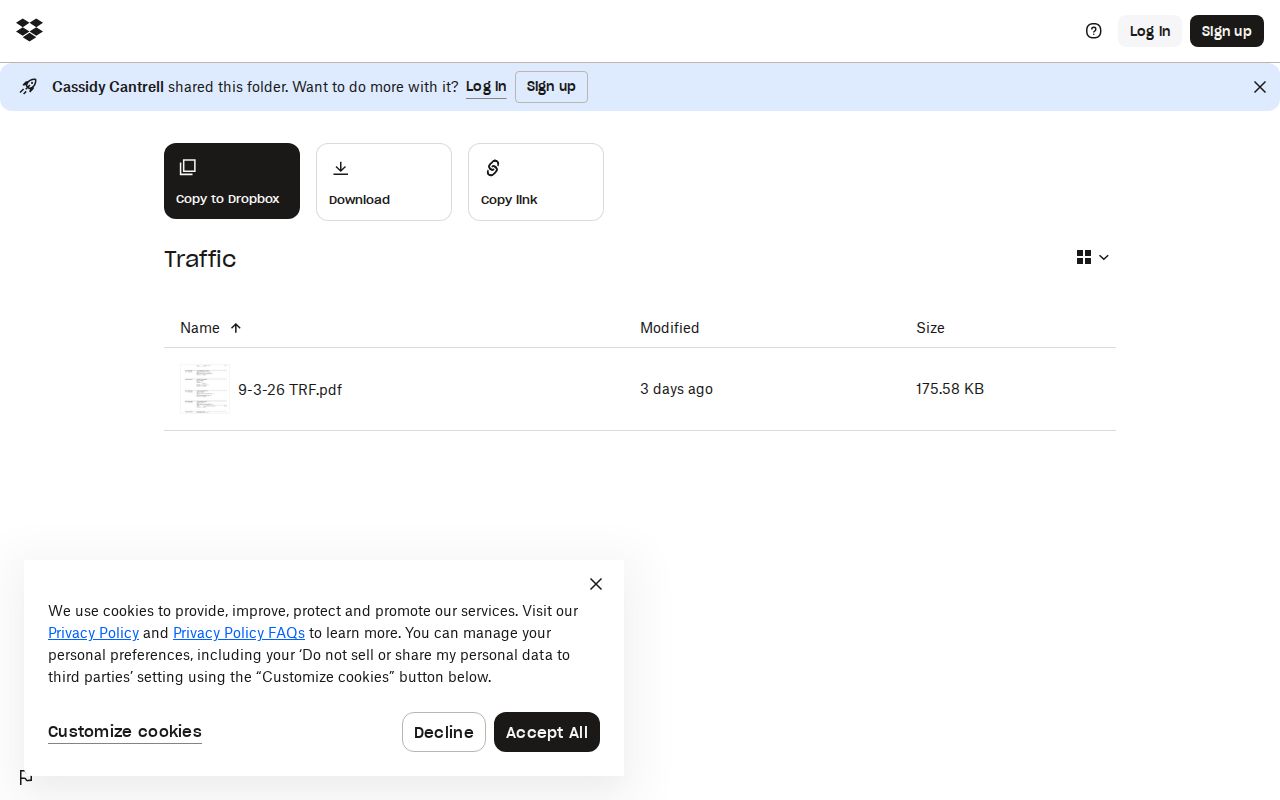
Use the file to check who is set and when. Use the clerk’s case file to verify what was filed, decided, paid, or still due.
Paying or Contesting a Ticket
No official Warren online payment page, current fine table, safety-school registration, or local failure-to-appear procedure was located. Read the citation and call the issuing court before choosing a response. Paying generally resolves the charge through the plea accepted by the court, while contesting requires the court’s procedure for a not-guilty plea and hearing. The ticket and clerk, not a generic web summary, control deadlines.
| Paying the Ticket | Contesting the Ticket |
|---|---|
| Ask what plea payment represents and what disposition will be entered. | Ask how to enter a not-guilty plea and obtain a trial or hearing setting. |
| Follow the response or payment date printed on the citation. | Follow the plea and appearance deadlines given by the issuing court. |
| Confirm accepted methods with General Sessions or the municipal court. | Confirm whether a written response or personal appearance is required. |
Missed a Court Date: Contact the issuing court promptly with the case number and date. Ask whether a minute entry, capias, new setting, added cost, or order was entered; no Warren-specific consequence should be guessed.
Reading a Warren Traffic Row
The inspected traffic record lists an officer or prosecutor line, defendant, count, offense, classification, bond details where present, counsel information, setting, hearing type, and notes. These are court-calendar fields. They are not all findings by the judge.
- Arraignment
- A hearing label, not a conviction.
- Trial
- A scheduled trial setting, not proof that a trial occurred.
- Bond
- An amount and type block that may also identify bail or counsel information.
- Capias review
- A procedural note that requires clerk confirmation; it is not a full disposition.
Abbreviations including M/A, M/B, M/C, F/B, F/C, and M/U appeared in samples, but no official Warren key was found. Preserve the printed code and ask the clerk what it means.
Court Traffic Record vs Driver Record
A court traffic record documents the citation case and its court events. A Tennessee driving record is a separate licensing record maintained by the Department of Safety. One should not be treated as a substitute for the other. The Warren portal and traffic PDF do not promise license status, points, or a complete driver history.
| Court Traffic Record | Driver Record | |
|---|---|---|
| Kept By | General Sessions or municipal court clerk | Tennessee Department of Safety |
| Shows | Citation, settings, filings, plea, and disposition when recorded | State licensing history, including reported convictions and licensing actions |
| How to Get It | County portal, docket PDF, court contact, or clerk request | Department of Safety’s official record-request route |
Municipal Traffic Records Stay Separate
The Tennessee AOC municipal-court page explains that municipal courts handle ordinance violations and commonly hear speeding and traffic matters. A citation issued into a city court may therefore be absent from Warren General Sessions search results and its Traffic Docket folder.
For McMinnville, official directories identify a city-court contact at 204 Red Road and 931-473-1211, but they differ on the clerk’s name. Use the number and verify the current clerk. For Morrison, Centertown, or Viola, contact current town government because no public municipal traffic portal was located.
A no-result county search is not proof that no citation exists. Check the ticket’s court line, ask the city office, and use Cantrell’s office only when the matter is actually in a county court.
Fees and Copies
Request a traffic copy from the court that holds the citation. For General Sessions, provide Cantrell’s office with the full case number and exact document. State whether a plain or certified copy is needed. Statewide court-fee material supplies reference amounts, but no Warren traffic-specific form or local fee sheet was located.
| Item | Fee | Notes |
|---|---|---|
| Ordinary court-document copy | $0.50 per page | Statewide reference; confirm Warren’s current total |
| Certification or seal | $5.00 | Confirm the certification type and need |
| Traffic search or online image | Not located | Ask about search, delivery, and payment costs |
Ask for an estimate, payment instructions, and delivery options before ordering. A public inspection request may also be made through official clerk channels. The Tennessee Public Records Act does not override a seal or other lawful restriction.
When Warren Traffic Records Are Missing
First verify the search choices. The LGC portal requires at least one court type and case type, and General Sessions plus Criminal is the researched traffic starting point. For a formatted number, try only its numeric tail. With a name, use the full first and last name. Complete the Turnstile check before expecting the Find Now control to work.
Next check the dated traffic folder. A new or reset matter may not be in the snapshot being viewed. Then call 931-473-2373 or visit the clerk’s counter after confirming office access. Ask for the current setting and whether inspection or a copy is available. No public-terminal policy was found, so do not assume a kiosk exists.
Finally, verify municipal jurisdiction. If the citation names a city court, use that city’s clerk. For a public record that cannot be obtained through routine channels, send the custodian a narrow request naming the court, case number, date range, and exact document. Note: the statewide appellate search cannot fill a Warren trial-court gap.
Bring the citation or keep a clear copy when contacting the office. The issuing agency, court name, case or citation number, and appearance instructions are better routing clues than the driver's address. Ask whether the matter is General Sessions or municipal, whether a current date is set, and which office accepts a plain or certified record request. If the clerk confirms a reset, request the new date and the source that controls it. A missing row on an old PDF does not cancel a case or excuse an appearance.
The research did not locate a Warren County online payment form, a current fine schedule, a defensive-driving registration page, or a local failure-to-appear procedure. Do not substitute a payment link from another Tennessee county. Read the ticket, call the named court, and ask for current payment or appearance instructions. Paying and contesting can carry different deadlines and effects, so questions about the choice belong with a licensed attorney. The clerk can provide procedure and record access, not legal advice.
For a copy request, state the full case number, the document wanted, and the date range. Ask for the page count, certification charge, payment method, and delivery options before sending money. Tennessee statewide fee material is a reference point, not proof of the final Warren total. If the file is restricted or partly sealed, ask whether a public docket entry or redacted copy can be released under the court's access rules.