
How to Search the Viola Court Docket
Viola publishes no municipal docket database, citation lookup, payment page, or copy request form. So skip the hunt for a town portal. Pull out the citation or notice instead. Read the heading for the named court and the full case or citation number. Also note the issuing agency and any setting date. Those fields decide whether your Viola matter sits with town government or Warren County.
If the paper names Warren General Sessions, open the county's Online Court Records System. Pick General Sessions and the correct case type. With a formatted county number, search using only the digits after the last hyphen. Then match your result against the county's General Sessions or Traffic docket folder.
- Read the court name and keep the complete citation or case number.
- For a municipal label, use the official Viola directory to verify the current town contact.
- For Warren General Sessions, search the county portal by name or numeric case-number tail.
- Check the relevant dated county docket PDF when a county setting is expected.
- Confirm the court date and copy method with the clerk that holds the Viola record.
Viola Court Docket Access Gap
Here is the honest limit. Viola publishes no court clerk phone number, judge listing, schedule, payment page, terminal policy, case-number pattern, or docket portal in official sources. That gap matters. Treating the Warren County portal as a Viola city system would mislead people. Not every local citation shows up there.
Start with the University of Tennessee MTAS Viola directory, the official municipal listing. Use it to confirm current town contacts before you ask for any municipal record. Town staff may point you to Warren General Sessions. If so, use the county search. If they name a Viola municipal custodian, request the Viola court docket. Ask that office for the exact case document.
Key point: No county search result can conclusively answer whether an unindexed Viola municipal matter exists.
The Viola Municipal Court
No official source confirms a Viola Municipal Court now in operation. Nor does it confirm a sitting judge, clerk, calendar, or online system. So describe the Viola court docket carefully. Tennessee municipal courts handle city ordinance and municipal traffic matters. But that statewide rule says nothing about Viola's current structure. Ask the town to verify the present arrangement rather than treating a general description as local fact.
The court named on the paper drives the next step. A citation tied to a town ordinance process starts with the Viola municipal channel in the current official directory. Ask who keeps the docket. Ask where the setting is held and whether you can inspect or copy records. A paper naming Warren County General Sessions stays a county case no matter where the incident happened. Then Cassidy Cantrell's county clerk office is the right route.
Viola Court Docket Source Check
The official Viola municipal directory gives the town a verifiable government starting point. It lists contacts; it is not a case-search database. The directory itself is the source for the official view that follows.
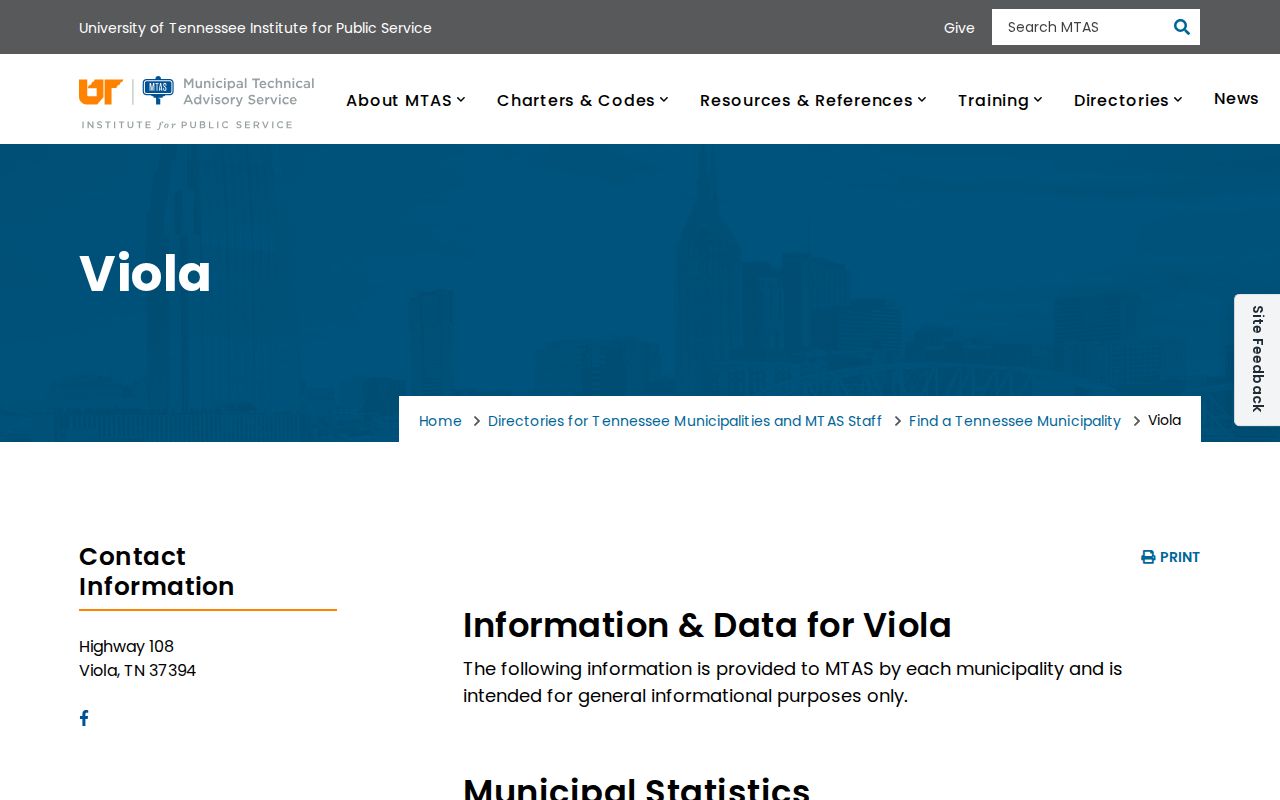
That page documents the Viola government directory used to verify current contacts. It is not a Viola court docket, calendar, payment tool, or case lookup.
The difference matters. A city directory points you to the right office. But it cannot confirm a hearing or any result. Ask Viola staff whether a municipal court record exists and who keeps it. Turn to the county clerk only after the document or the town contact points to a Warren County court.
Viola Court Dates and Settings
Viola posts no official hearing calendar or set court hours. So confirm any date printed on a ticket or notice with the court that issued it. For a Viola matter filed as Warren General Sessions, the county's dated public PDFs may list the setting. General Sessions broadly runs Monday civil, Tuesday criminal, Wednesday juvenile, and Thursday traffic and criminal. The date-specific file still controls.
| Court | The exact municipal or Warren County court printed on the Viola paper. |
|---|---|
| Date and time | The listed setting, which should be checked against the current clerk record. |
| Case or citation number | The complete identifier; do not invent a Viola number format. |
| Setting type | A label such as arraignment, trial, or hearing when the issuing court uses it. |
| Status | A current fact to confirm with the custodian, not an inference from a missing PDF row. |
A mailed notice and an online list can disagree after a reset or continuance. Contact the named court right away. Remember what a docket setting shows: what was scheduled, not what happened and not what order was entered.
Missing Viola Court Docket Results
An empty Warren County result does not erase a Viola citation or proceeding. Your search may carry the wrong court type, case type, spelling, or number format. The matter could be municipal, newly filed, outside the current dated folder, restricted, sealed, or held elsewhere.
For a county case, retry with General Sessions and the right case type. Search a full name or the numeric tail of a formatted number. Then check the relevant dated folder. For a possible Viola municipal case, go back to the official town directory. Ask who keeps the current municipal court records. Give the exact court name, number, and date rather than asking for a general search.
Note: A missing Warren County row cannot confirm dismissal, transfer, payment, sealing, or any other result for a Viola matter.
Viola Traffic Tickets
A Viola traffic ticket can point in one of two directions. Read it closely before you search. Some tickets name Warren General Sessions; others go through a municipal court route. If General Sessions is named, call Cassidy Cantrell's Circuit Court Clerk office at 931-473-2373. Then check the county Traffic docket folder. County traffic numbers there follow a pattern like 89GS1-2026-TR-31341. Viola uses no separate citation format of its own. Treat that pattern as an example only.
A town ordinance ticket needs the MTAS city directory. It confirms who handles the docket now. Ask that office for the current court date, how to respond, and who keeps the record. Viola offers no online payment option, defensive-driving program, or published fine schedule. The ticket itself and the court it names are the only reliable sources for those terms. Skip payment links from unrelated cities or commercial services. For a fuller picture of how the county handles citation records, see Warren County traffic court records, then route your Viola ticket by the court name printed on it.
Viola Court Docket Custodian Test
Ask one question first: which office actually keeps this Viola record? Three dockets can all involve events near Viola yet remain separate records. A municipal ordinance docket, a Warren General Sessions traffic docket, and a Circuit Court case. Each sits with a different clerk. Send your request to the wrong one. You risk delay, or worse, a misleading "not found" answer.
| Paper names | Start with | Ask for |
|---|---|---|
| Viola or municipal ordinance court | Current Viola contact through MTAS | Municipal docket, setting, and custodian |
| Warren General Sessions | Circuit Court Clerk | General Sessions docket or exact filed record |
| Warren Circuit Court | Circuit Court Clerk | Circuit docket, order, or certified copy |
| Juvenile Court | County clerk/court contact | Access guidance, subject to confidentiality |
Don't confuse the offices. The Warren County Clerk at the administrative building handles county-clerk transactions, not court files. It does not keep the docket by default. For county court records, the documented contact is Cassidy Cantrell's office at 111 South Court Square in McMinnville.
Where Viola Cases End Up
Where a Viola case goes depends on its type. A municipal matter, if the town still handles one locally, starts with the Viola custodian. State-law traffic and criminal cases may begin in Warren General Sessions. Matters within Circuit jurisdiction belong to Warren County Circuit Court. That includes cases that move beyond General Sessions. Location alone tells you nothing about the right docket.
Docket flow: Viola municipal route → Warren County General Sessions → Circuit Court
Treat this as a routing aid. It does not claim every Viola case passes through all three points. Some matters begin and end in a single court. Others move because of jurisdiction or later court action. The Warren County court docket overview lays out the county paths in more detail. For any Viola search, one rule applies. Rely only on the stage and office shown on the case paper.
Viola Court Docket Copy Requests
Viola publishes no docket-copy form, fee schedule, or turnaround promise. Your request has to do that work. Name the court. Give the full case or citation number. Add the caption if you know it. State the setting date and the exact document you want, such as the docket sheet, a minute entry, a filed order, or the final disposition document.
Be specific about format, too. Say whether you want to inspect the file, get a plain copy, or need a certified copy. Before ordering, ask the Viola custodian for a cost estimate plus accepted payment and delivery methods. If the town says the file sits with Warren General Sessions, send that same focused request to the Circuit Court Clerk. One caution: a daily county PDF is not a certified copy. It is not the complete file, either.
Public Access to Viola Court Records
Tennessee law leans toward openness. Tennessee Supreme Court Rule 34 presumes court records are open. Seals, protective orders, and other lawful exceptions still apply. Under Tennessee Public Records Act guidance, a request goes to the entity believed to hold the record and should describe it well enough to identify it.
Your request does not sweep aside the limits. Juvenile confidentiality, seals, and protected identifiers still control, and a redacted public version may exist when only part of a record is restricted. State guidance also sets a clock: if the record is not promptly available, the custodian should within seven business days provide it, deny access in writing with a reason, or explain the additional time needed.
Key Rules:
Tenn. Code Ann. § 10-7-503 provides the general inspection and copy framework.
Rule 34 governs public access to court records and recognizes lawful restrictions.
A specific request goes to the Viola or Warren County custodian that holds the record.
Verify the Viola Court Docket
A docket entry never tells the whole story. A listed hearing shows what was scheduled, not what happened. A charge line records an allegation or label, not a finding. And a missing online entry may just mean the wrong system or a publication gap. These limits matter more in Viola. The town runs no city docket portal of its own.
For county-held matters, the LGC Terms of Use states something plainly. Its public data is not the official clerk record. It may be incomplete or out of date. Confirm anything important with the Circuit Court Clerk. For a town-held matter, verify the current Viola custodian through MTAS. Then request the exact record. Keep your full case number and any notice you received.
Size explains part of the thin online footprint. The 2020 Census counted Viola at 93 people, the smallest of Warren County's four incorporated places. That dated figure says nothing about court structure. It only places Viola within the official researched city set. For real answers, current government contacts still come first.
Keep Viola Docket Details Together
Gather your papers before you call anyone. Put the Viola citation, any notice, and every letter from the court in one place. Copy the case number down exactly as it appears. Check the heading too. It may name Viola, Warren General Sessions, or Warren Circuit Court. The listed date and the office that issued the paperwork belong with the number.
Once a clerk picks up, confirm that office actually keeps the Viola record. Ask them to read back the current hearing date. Also ask them to name the exact document you can inspect or copy. If they send you elsewhere, write down the new contact. Do not start over on some random portal. That habit keeps a clean trail back to the source of the Viola court docket.
Viola Record Checklist
Keep a simple trail for every Viola docket lookup. Write down the Viola court name and case number. Add the Viola setting date. Note any reply from the office that holds the record. If a Viola case file later moves to a county office, save the original Viola paperwork next to the county response. That habit pays off. It separates a Viola court record you actually confirmed from a guess built on an empty docket search.